Top 7 Google Maps Ranking Factors Explained

Want to improve your Google Maps ranking? It all comes down to three main factors: relevance, distance, and prominence. Here’s a quick breakdown of the 7 factors you need to focus on:
- Optimise Your Google Business Profile: Ensure accurate details, add relevant keywords, and upload high-quality photos.
- Relevance: Align your business description and keywords with what users are searching for.
- Distance: While you can’t control proximity, optimising multiple locations helps.
- Prominence: Build trust with positive reviews, backlinks, and consistent online activity.
- Local SEO on Your Website: Use local keywords, schema markup, and ensure your site is mobile-friendly.
- Consistent Citations: Keep your Name, Address, and Phone (NAP) details uniform across directories.
- User Engagement: Encourage reviews, respond to feedback, and post regular updates to boost interactions.
Quick Tips
- Respond to reviews within 24 hours.
- Use tools to manage multiple locations and citations.
- Regularly update your Google Business Profile with fresh content.
These strategies will not only improve your ranking but also help attract more local customers. Ready to dive deeper? Let’s break it all down.
1. Optimising Your Google Business Profile
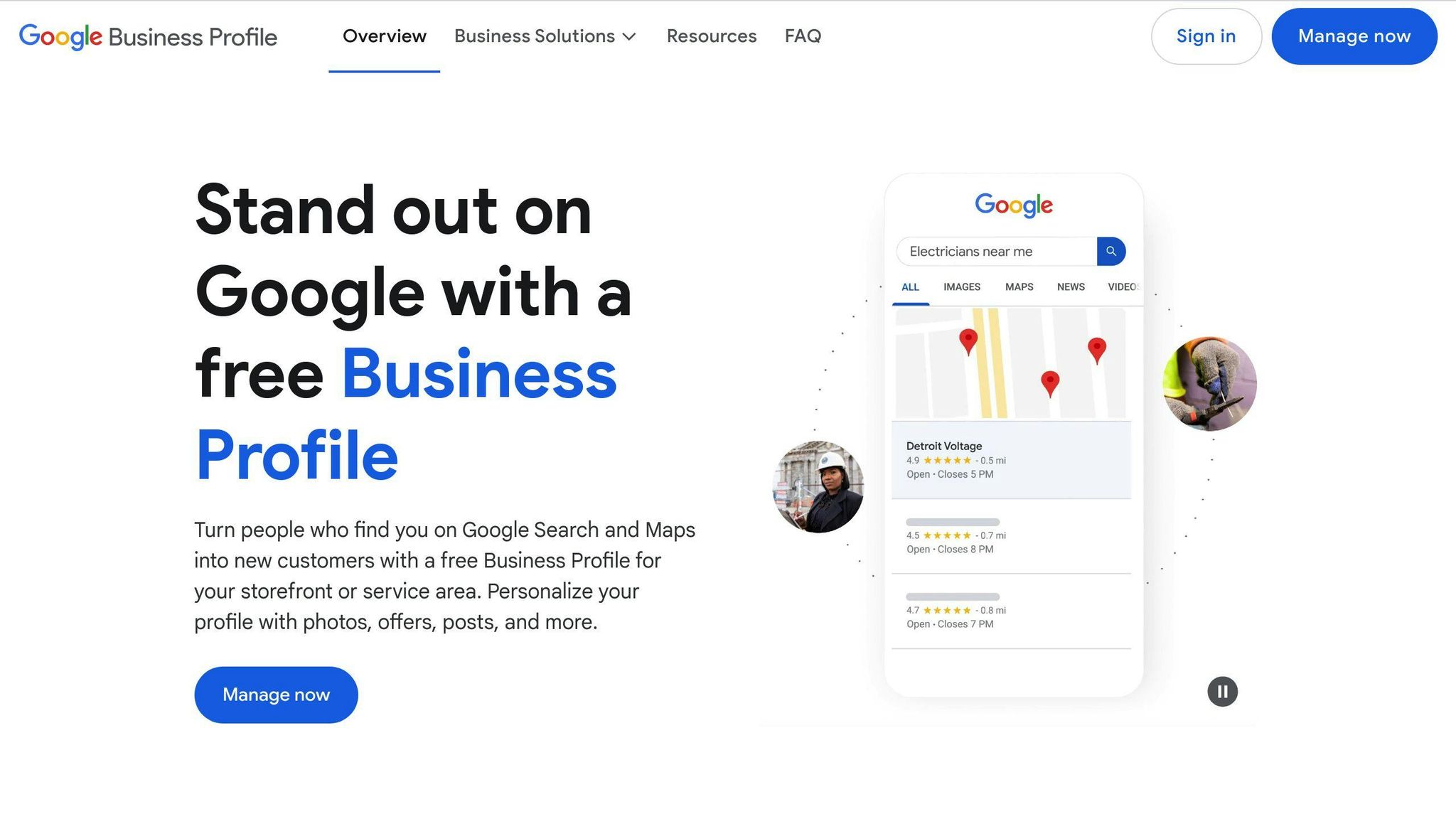
Your Google Business Profile is like your online storefront on Google Maps. It plays a key role in how your business shows up in local searches. A well-tuned profile helps Google better understand your business and rank it for searches that matter.
Providing Accurate Business Details
Make sure your business details are spot on:
- Use your business name exactly as it appears on your signage.
- Include your full street address, along with suite or unit numbers if applicable.
- Provide a direct phone number that connects customers to your business.
- Keep your operating hours updated, including any holiday schedules.
Consistency is key. Your Name, Address, and Phone (NAP) details should match across all platforms. Even small differences can hurt your rankings and confuse potential customers.
Adding Relevant Keywords
Adding the right keywords can make your business more visible in search results. Work in terms related to your services, location, and industry naturally into your description. Avoid overloading it with repetitive phrases. For example, instead of repeating "pizza restaurant Chicago", try something like: "Proudly serving Neapolitan pizza in Chicago’s West Loop since 2010."
Using Photos and Videos
Photos and videos can make a big impact on engagement and trust. Showcase your business with high-quality visuals, including:
- Exterior shots (3-5 images)
- Interior shots (5-10 images)
- Products or services (10-15 images)
- Team photos (2-3 images)
Make sure your visuals are:
- Clear and well-lit
- Recently updated (no older than 3 months)
- A true reflection of your business today
An optimised Google Business Profile sets the stage for better visibility and relevance in local search results.
2. Relevance: Aligning with User Searches
Relevance measures how well your business listing matches what users are looking for. Google uses the information in your Google Business Profile to assess whether your business is a good fit for a search query.
Writing Descriptions That Matter
Your business description should be clear and focused. Use specific services, industry terms, and details that set you apart. For instance, instead of just saying "plumbing services", mention specifics like "emergency leak repair" or "water heater installation."
"Google considers the search term the user entered (e.g., ‘leaky faucet’) and compares it to the info included in business listings. Those that are more relevant to the searcher’s keyword get bumped closer to the top." – Tradie Digital
Location details also play a big role in your Google Maps ranking. Add location-specific terms naturally, such as:
- City name
- Neighborhood or district
- Nearby landmarks
- Service area boundaries
For example, phrases like "Serving Manhattan’s Upper East Side since 2015" can help boost local relevance. Use location references in your business description, service area details, and even photo captions.
If you have multiple locations, create unique descriptions for each one to improve visibility. Be honest about your service areas – targeting places where you don’t actually operate can hurt your rankings.
While relevance ensures your business matches user searches, proximity is another key factor in determining which local businesses show up in results.
3. Distance: How Proximity Affects Rankings
Distance plays a MAJOR role in how businesses rank on Google Maps. While you can’t control how close someone is to your business, you can take steps to make sure you’re visible to users across various locations.
This is a major factor when it comes to ranking in Google Maps, especially as a storefront business!
How ‘Near Me’ Searches Work
When users search for businesses "near me", Google prioritises those physically closest to them. In these cases, proximity often outweighs factors like reviews or online presence – especially for businesses that rely on foot traffic, such as:
- Restaurants
- Retail stores
- Service providers
- Entertainment venues
"Google considers the search term the user entered and compares it to the info included in business listings. Those that are more relevant to the searcher’s keyword get bumped closer to the top, but physical distance remains a critical factor in the final ranking."
The reality is stark: Google’s map pack runs almost entirely on proximity. They want to show businesses that are as close as humanly possible to the searcher. If you want a plumber, you want one close to you. If you want a cafe, you want one nearby.
The Proximity Challenge for Perth Businesses
Here’s where things get tricky for local service businesses. Most serve locations far beyond what could realistically pop up in the map pack.
Take a cleaning company in Perth, for example. They might be willing to serve from Joondalup to Fremantle, but there are dozens of other cleaning companies competing for visibility. If you only have one Google Business Profile in the CBD (which is a great location to secure), you’re only going to rank well for searchers in that immediate area.
It’s very rare that businesses can dominate more than 20-30% of their metro area with a single location. Google will simply rank different cleaning companies that are closer to searchers in Rockingham, Midland, or Scarborough.
Tips for Optimising Multiple Locations
If your business operates in multiple locations, you can improve your visibility by optimising each one individually:
- Set up a unique Google Business Profile for every location with accurate NAP (Name, Address, Phone) details and descriptions tailored to each area.
- Use Google’s bulk management tool to keep all profiles updated without extra hassle.
- Customise descriptions to reflect each location’s connection to the local community.
Consider strategic placement in key areas like Fremantle, Joondalup, and Midland to maximise coverage across the metro area or target wealthy suburbs if you are after high ticket jobs.
Consistency is key. Make sure every profile includes the correct physical address, operating hours, contact details, and service area boundaries.
For example, a retail chain should create a separate, optimised profile for each store. This ensures Google can properly index and show the right location to nearby users.
While you can’t change how close your business is to a user, focusing on prominence and relevance can make all the difference in standing out.
4. Prominence: Building a Strong Online Presence
Prominence reflects your business’s reputation and visibility in the digital world, especially on Google Maps. Along with relevance and distance, it plays a major role in determining your local ranking. Think of it as your business’s influence and credibility online.
Getting Positive Reviews
Reviews are a powerful form of social proof and a critical factor in Google’s local ranking algorithm. They directly impact your position on Google Maps.
For example, a study by On The Map Marketing showed how one client climbed to the top of the local pack and gained 11 new cases in just 30 days by managing reviews effectively.
To make the most of reviews:
- Respond quickly to feedback, whether positive or negative.
- Use automated tools to request reviews after service completion.
- Handle negative reviews professionally, showing responsibility and care.
Consistent, thoughtful responses and quality reviews not only improve rankings but also build customer trust.
Improving Online Visibility
Stay active and visible online by:
- Regularly updating your Google Business Profile with new content.
- Sharing Google Posts about your latest news, offers, or events.
- Engaging with customer questions and feedback directly.
Boosting Backlink Quality
Securing backlinks from respected websites signals trustworthiness to Google. Aim for links from industry-specific directories or local news sites to strengthen your online authority.
Don’t forget the importance of consistent NAP (Name, Address, Phone number) details, as mentioned earlier. Combining strong review management with consistent online activity helps solidify your business’s prominence.
sbb-itb-c74901f
5. Local SEO on Your Website
Your website plays a key role in boosting local SEO and showcasing your business’s presence and credibility. A well-optimised site sends clear signals to Google about your local expertise, directly influencing your visibility in local search results.
Using Local Keywords
Incorporating location-based keywords throughout your website helps Google understand your local relevance. Focus on including these keywords in:
- Page titles and meta descriptions
- Headers and subheaders
- URLs
- Main content
- Image alt text
- Local entities
For example, instead of just "plumber", use phrases like "emergency plumbing services in [city name]" to target specific areas effectively.
Schema Markup
Adding local business schema markup gives Google structured details about your business, such as your location, operating hours, and customer reviews. This helps search engines interpret your business information more accurately.
Making Your Website Mobile-Friendly
With most local searches happening on mobile devices, having a mobile-friendly website is crucial. Google prioritises sites that provide a smooth mobile experience.
Key Mobile Optimisation Tips:
- Compress images and minimise code to improve loading speed.
- Use responsive design to ensure your site works on all screen sizes.
- Make buttons easy to tap and navigation straightforward.
- Use font sizes that are easy to read without zooming.
- Ensure business details are easily accessible.
Technical Setup
Make sure your website structure allows search engines to crawl and index it easily. This improves your chances of appearing in local search results.
Local Content Strategy
Publish content that emphasises your expertise while connecting to your local community. For instance, create blog posts about local events, case studies, or area-specific tips to highlight your connection to the region.
Your website is the backbone of your local SEO efforts, but don’t forget to maintain consistent business citations across various platforms to further boost your visibility.
6. Consistent Citations and Directory Listings
Accurate and consistent business information across platforms plays a big role in improving your Google Maps rankings. When your details match everywhere online, it helps Google confirm your legitimacy and boosts your local search visibility.
Keeping NAP Information Consistent
Your Name, Address, and Phone number (NAP) should be the same on every platform. If your NAP details vary, it can confuse search engines and hurt your rankings. Make sure to standardise not just your NAP but also your website URL, business hours, and categories across all platforms.
According to a Moz study, NAP consistency is one of the top factors influencing local rankings. To stay on top of this, schedule regular audits – at least every quarter – to review and update your information wherever your business is listed.
Using Local Directories
Being listed in the right directories can increase your visibility and strengthen your reputation. Focus on directories that align with your industry and location:
| Directory Type | Examples | Best For |
|---|---|---|
| General Business | Yelp, Yellow Pages | All businesses |
| Industry-Specific | OpenTable (restaurants), Healthgrades (healthcare) | Specialised industries |
| Local Chambers | Chamber of Commerce, Local Business Associations | Community connections |
To manage your directory listings effectively, you can use tools like Moz Local, BrightLocal, or Yext. Here’s how to get the most out of your listings:
- Fill out every field with accurate and up-to-date information.
- Add high-quality photos and engaging descriptions.
- Keep an eye on reviews and respond promptly.
- Update your hours for holidays or special events.
It’s better to have a few accurate and complete listings on trusted directories than to spread inconsistent information across dozens of platforms. These citations work alongside your Google Business Profile to strengthen your local search rankings.
While consistent citations lay the groundwork, user engagement and interactions can take your Google Maps visibility even further.
7. User Engagement and Behavior
Citations may help establish your presence, but user engagement signals play a direct role in improving your Google Maps ranking. These signals can make your business stand out in a crowded marketplace.
Encouraging Customer Reviews
Customer reviews are a key factor in boosting your Google Maps ranking. They help build trust and improve your business’s online presence. Here’s how to make the most of them:
- Respond promptly: Aim to reply to reviews within 24-48 hours.
- Automate review requests: Use tools to request feedback after providing a service.
- Handle feedback professionally: Address both positive and negative reviews with care.
- Stay active: Use marketing automation tools to keep up with customer interactions.
Boosting User Interactions
Google evaluates user behavior to determine how relevant and visible your listing is. Factors like click-through rates, time spent on your profile, and interactions with photos or Q&As all matter.
To encourage more engagement:
- Post Regular Updates: Use Google Posts to share weekly updates about products, promotions, or news. Scheduling tools can help you stay consistent.
- Improve Your Q&A Section: Add commonly asked questions along with detailed answers to make your profile more helpful.
- Add Visual Appeal: Upload high-quality photos and videos frequently to showcase your business and services in an authentic way.
"Google takes into account the reviews, ratings, backlinks and online mentions you have earned to evaluate the prominence of your business".
Conclusion: Steps to Improve Your Google Maps Rankings
Improving your Google Maps rankings is an ongoing process that requires attention to detail and regular updates.
Start by auditing your Google Business Profile (GBP). Make sure all your information is accurate and complete, including your business name, address, phone number (NAP), and operating hours. Add high-quality photos and respond quickly to customer reviews and questions to keep your profile active and engaging.
Consistency across platforms is key. Ensure your NAP details are the same everywhere – this builds trust and can positively impact your rankings.
Remember, optimising your profile isn’t a one-and-done task. Regularly monitor your performance using Google My Business Insights. Here’s what to keep an eye on:
| Metric | What to Monitor | Why It Matters |
|---|---|---|
| Search Visibility | Impression trends | Shows how well your profile ranks |
| Customer Actions | Clicks, calls, direction requests | Reflects user interest and activity |
| Photo Views | Engagement with visual content | Highlights the appeal of your images |
| Review Activity | New reviews and ratings | Influences your prominence score |
These metrics help you understand what’s working and where you need to improve. Keep in mind that results take time – weeks or even months – depending on your competition and how consistent your efforts are.
Stay focused on genuine engagement. Encourage customers to leave reviews, share updates regularly, and always keep your business information up to date. A steady, organised approach will help you stand out and maintain strong rankings on Google Maps.
FAQs
Here are answers to some frequently asked questions about improving your Google Maps rankings.
How do I increase my rating on Google Maps?
Improving your Google Maps rating involves a mix of strategies:
| Strategy | How to Implement | Impact on Rating |
|---|---|---|
| Review Management | Respond quickly to all reviews (within 24 hours) | Builds trust and encourages more reviews |
| Customer Service | Deliver consistent, high-quality service | Leads to more positive, organic reviews |
| Profile Updates | Keep business hours and details accurate | Avoids negative reviews from confusion |
| Visual Updates | Upload fresh photos regularly (e.g., monthly) | Increases engagement and attracts reviews |
What are the most important ranking factors?
Your Google Maps ranking is influenced by three main factors:
- Relevance: How well your business matches the search query.
- Distance: How close your business is to the searcher.
- Prominence: Your business’s reputation and visibility online.
For a deeper dive into these factors, check out sections 2-4 above.
How can I improve my business’s prominence?
To boost your business’s prominence, focus on these steps:
- Ask for reviews after completing a service, using tools like automated emails.
- Partner with local organisations to gain credible backlinks.
- Share content that highlights your local expertise and involvement in the community.
What role does user engagement play?
User engagement is key. Actions like profile clicks, calls, direction requests, and photo views signal to Google that your business is relevant and popular. The more users interact with your profile, the better your chances of ranking higher.
How can I measure optimisation success?
Use Google My Business Insights to track these metrics:
- Trends in user activity (profile views, calls, direction requests).
- The quality and frequency of reviews.
- Engagement with your photos, including visibility metrics.
Related posts

Dorian Menard
https://staging.searchscope.com.auI’m Dorian, founder of Search Scope and an SEO obsessed with ROI and lead generation. After a decade in the trenches, I’ve built and ranked digital assets for businesses across the world. I cut through the noise with data, automation, and strategies that actually convert. When I’m not scaling rankings, you’ll find me on a motorbike or setting chess traps — always planning three moves ahead.