What Is Geo-Grid Rank Tracking?
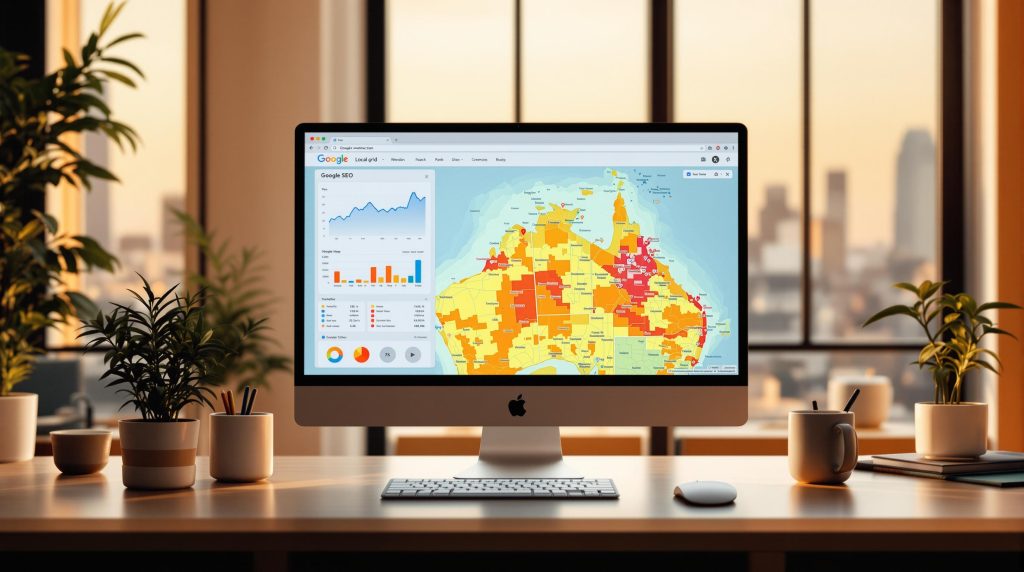
Geo-grid rank tracking is a method used to monitor how your business ranks on Google Maps across different locations. It works by creating a virtual grid over your target area, with each point measuring your search visibility and ranking performance.
Key Benefits:
- Detailed Local Insights: Understand how your rankings vary across suburbs or regions.
- Competitor Analysis: Identify areas where competitors outperform you.
- Improved Local SEO Rankings: Optimise your Google Business Profile and content based on location-specific data.
How It Works:
- Set Up a Grid: Define your service area and grid density (e.g., 500m in cities, 1-5km in suburbs).
- Track Rankings: Measure search visibility at each grid point.
- Analyse Data: Spot trends, weak areas, and opportunities for improvement.
This tool is essential for Australian businesses to stay competitive in local search, especially in cities like Sydney and Perth where local SEO can drive significant leads. Use geo-grid data to refine your strategy, improve rankings, and attract more customers.
GeoGrid Rank Tracking Explained
Geo-Grid Rank Tracking Basics
Geo-grid rank tracking helps monitor your Google Maps rankings by measuring performance across specific geographic points. It divides your target area into a grid of checkpoints, offering a clear view of how your rankings vary across locations.
How the Grid System Works
This system creates a network of checkpoints within your target area. Each checkpoint acts as a unique reference point for measuring search rankings. For example, if you’re tracking rankings in Perth CBD, checkpoints might be set every 500 metres.
This setup reveals how your local presence changes across different parts of the city, helping refine your SEO approach.
Here’s how the process works:
- Grid Creation: Virtual checkpoints are established across your service area.
- Data Collection: Rankings are recorded at each checkpoint.
- Visualisation: Data is mapped to highlight ranking patterns.
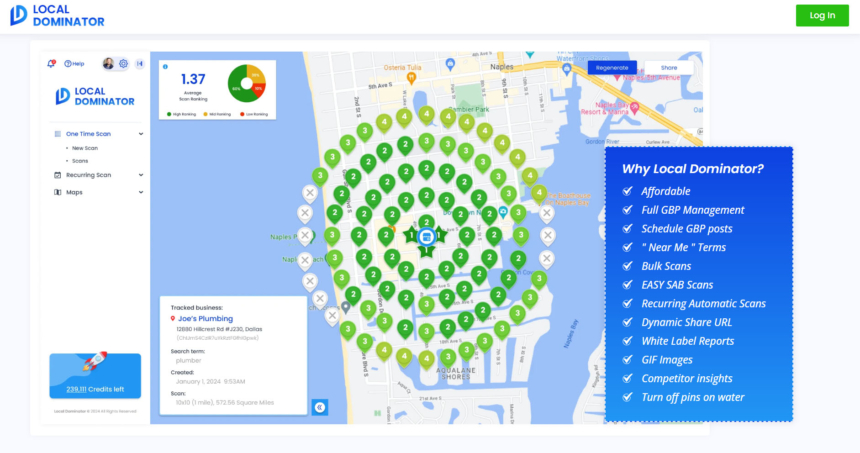 Local Dominator is one of the top geo-grid rank tracking software on the market!
Main Grid Tracking Elements
Geo-grid tracking relies on three key elements to deliver precise local ranking data:
Grid Size and Density
A tighter grid (e.g., 100–500m spacing) provides more detailed insights but requires greater processing power. Most suburban businesses track within a 1-5 km radius.
Search Parameters
Tracking is based on specific inputs, such as:
- Business name
- Primary and secondary keywords
- Service-related terms
- Location-based modifiers
Ranking Data Points
Each checkpoint provides valuable metrics, including:
- Position in the local pack
- Maps visibility score
- Distance from your business
- Competitor rankings
| Grid Element | Purpose | Typical Range |
|---|---|---|
| Grid Density | Tracks local visibility | 100-500m spacing |
| Coverage Area | Monitors service area | 1-5 km radius |
| Data Points | Measures ranking positions | 20-100 points |
This method gives businesses a clear picture of their Google Maps performance within their service area, helping them fine-tune their local SEO strategies effectively.
Local SEO Impact of Grid Tracking
Improving Local Search Rankings
Geo-grid rank tracking offers a detailed look at how your business ranks across various locations.
By studying these ranking patterns, you can spot areas where your business is doing well and where improvements are needed. This detailed perspective makes it easier to refine your local SEO efforts by focusing on specific zones that require attention.
For instance, if your rankings drop beyond a 2 km radius, consider updating your Google Business Profile, creating location-specific landing pages, optimising suburb-related keywords, and strengthening your content for that area.
Next, let’s look at how grid tracking helps manage multiple locations effectively.
Managing Multiple Business Locations
Grid tracking ensures consistent visibility while identifying overlaps or gaps in rankings across different locations.
Here are a few tips for effective multi-location tracking:
- Select the right grid density for each location.
- Keep an eye on ranking differences between nearby branches.
- Adjust local content based on ranking patterns for each location.
| Location Type | Optimal Grid Density | Coverage Radius |
|---|---|---|
| CBD Location | 200-300m | 2-3 km |
| Suburban Shop | 500m | 3-5 km |
| Regional Store | 1 km | 5-10 km |
Now, let’s explore how grid tracking can provide insights into your competition.
Tracking Local Competition
Grid tracking also allows you to compare your performance with nearby competitors. This can help you:
- Identify areas where competitors have better visibility.
- Spot geographic opportunities to expand your market.
- Track ranking trends during peak business hours.
- Understand location-based ranking shifts.
Regularly reviewing this data and adjusting your strategy can give you an edge in local search rankings.
sbb-itb-c74901f
Grid Tracking Step-by-Step
Setting Up Your Grid
Start by defining the area you want to target and setting up grid parameters that align with your business location and service radius.
- Pinpoint your main service area.
- Decide on the grid density: use detailed grids for urban areas and broader grids for regional locations.
- Set essential tracking factors, such as local search terms, Google Maps visibility, and Business Profile rankings.
Once your grid is ready, move on to analysing the data it provides.
Reading Grid Data
Understanding grid data can help improve your local SEO strategy.
Dive into the data by spotting ranking trends, evaluating regional differences, and tracking changes over time. These insights can guide your adjustments to local SEO efforts.
Key areas to focus on:
- Ranking Trends
Look for consistent patterns and any unexpected ranking shifts at specific grid points. - Geographic Variations
Check how rankings differ across various suburbs or regions. This can highlight areas where your Google Business Profile might need more attention or where local content could be improved. - Changes Over Time
Track daily ranking movements, peak performance periods, seasonal trends, and the effects of updates to your business profile.
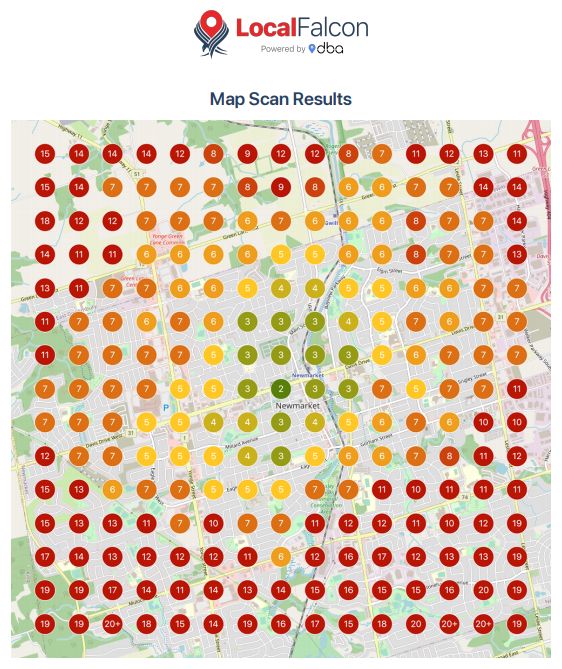 Our tool of choice, Local Falcon, allows advanced geo-grid monitoring in your favorite neighbourhoods!
Improving Local SEO with Grid Data
Choosing Keywords and Areas
Start by selecting local keywords that align with your business goals and pinpointing suburbs where visibility can make a difference.
For urban locations, use grid segments of 500 m to 1 km. In regional areas, opt for larger segments, typically 2–5 km.
Set up your tracking by focusing on:
- Service-specific terms: Use a mix of broad and detailed keywords relevant to your offerings.
- Geographic modifiers: Include variations like "near me", suburb names, and regional identifiers.
- Search intent signals: Track keywords that reflect different customer needs, from research-focused to urgent service requests.
These parameters help you gather targeted data that can drive meaningful SEO improvements.
Applying Grid Insights
Once you’ve defined your keywords and areas, use grid data to shape your local SEO strategies.
Profile Updates
- Adjust business categories and include suburb-specific keywords in your profile.
- Add location-based keywords to your business description.
- Upload geo-tagged photos from areas where you want better visibility.
Content Strategies
- Create location-specific landing pages and blogs tailored to local customer needs.
- Include detailed location information in your service area descriptions.
- Update meta descriptions with location-based keywords that perform well in your grid data.
Improving Local Signals
- Build backlinks from local directories.
- Encourage reviews from customers in areas where your visibility is weaker.
- Ensure your NAP (Name, Address, Phone) details are consistent across all local citations.
- Optimise internal links to strengthen location-specific pages.
Keep an eye on your grid tracking results and adjust your approach based on ranking shifts and local search trends. Aim to maintain strong positions in top-performing areas while gradually boosting visibility in promising but weaker locations.
Summary
Geo-grid rank tracking plays an important role in improving local search visibility for Australian businesses. It divides your target area into smaller sections, offering detailed insights into performance on Google Maps and local search results.
Key Advantages:
- Gain clear visibility into ranking differences across suburbs and postcodes.
- Use data to make informed decisions for local SEO improvements.
- Understand local competitors and identify market opportunities.
These insights can help you refine your grid setup and adjust your keyword strategy for better results.
To implement this effectively, set grid sizes based on your location. For metropolitan areas, use grids of 500 m to 1 km, while regional areas may require larger grids of 2–5 km. Combine this with tracking keywords that include service-specific terms and geographic locations.
Regular monitoring and updates are essential. Analysing grid data frequently allows you to spot new opportunities and address weak areas, keeping your local SEO efforts aligned with market trends.
Related posts

Dorian Menard
https://staging.searchscope.com.auI’m Dorian, founder of Search Scope and an SEO obsessed with ROI and lead generation. After a decade in the trenches, I’ve built and ranked digital assets for businesses across the world. I cut through the noise with data, automation, and strategies that actually convert. When I’m not scaling rankings, you’ll find me on a motorbike or setting chess traps — always planning three moves ahead.